PureOS Crimson Development Report: January and February 2026 – Beta Released

Purism
Latest posts by Purism (see all)
- PureOS Crimson Development Report: January and February 2026 – Beta Released - March 16, 2026
- Privacy Under Siege - February 18, 2026
- Sim Swap Attacks Surging - February 4, 2026
Beta released!
We are very pleased to announce that the PureOS Crimson beta is released! This means that we have a new set of install images for all devices – Librem 5, Librem 11, servers, and PCs – and we have a path to upgrade existing installations from Byzantium.
Many of us are already using the beta, and if you would like to try it out as well, now is a great time. If you’d like to install Crimson fresh, refer to our installation instructions for PCs, servers, and the Librem 5. The Librem 11 shipped with Crimson, so just update on that device.
If you’d like to upgrade a device from Byzantium to the PureOS Crimson beta, read on!
Easy upgrades
As we mentioned in November and teased in December, our goal is to have an upgrade process that is both reliable and easy. Purism’s mission is to offer privacy, security, and freedom, not just to tech enthusiasts but to a wide audience. Everyone is entitled to those rights, whether you know what an “apt dist-upgrade” is or not.
For that purpose, we created PureOS Upgrade. This application walks you through the upgrade process, and in a few clicks or taps, you will have Crimson!
Like all Purism work, PureOS Upgrade is built on the existing stack in Debian, leveraging PackageKit and apt. It’s also (of course) free and open source software, licensed under the GNU General Public License, version 3.
Give it a try
With PureOS Crimson now in beta, you can try this process yourself! While most of us internally are now using Crimson daily, remember that it is still in beta. Have backups, and let us know about your experience.
To get the upgrader now, open a terminal and install it with: sudo apt update && sudo apt install pureos-upgrade
When we reach general release, we will include PureOS Upgrade in a system update, so no terminal steps will be necessary.
Then, just launch the PureOS Upgrade application.
Upgrading
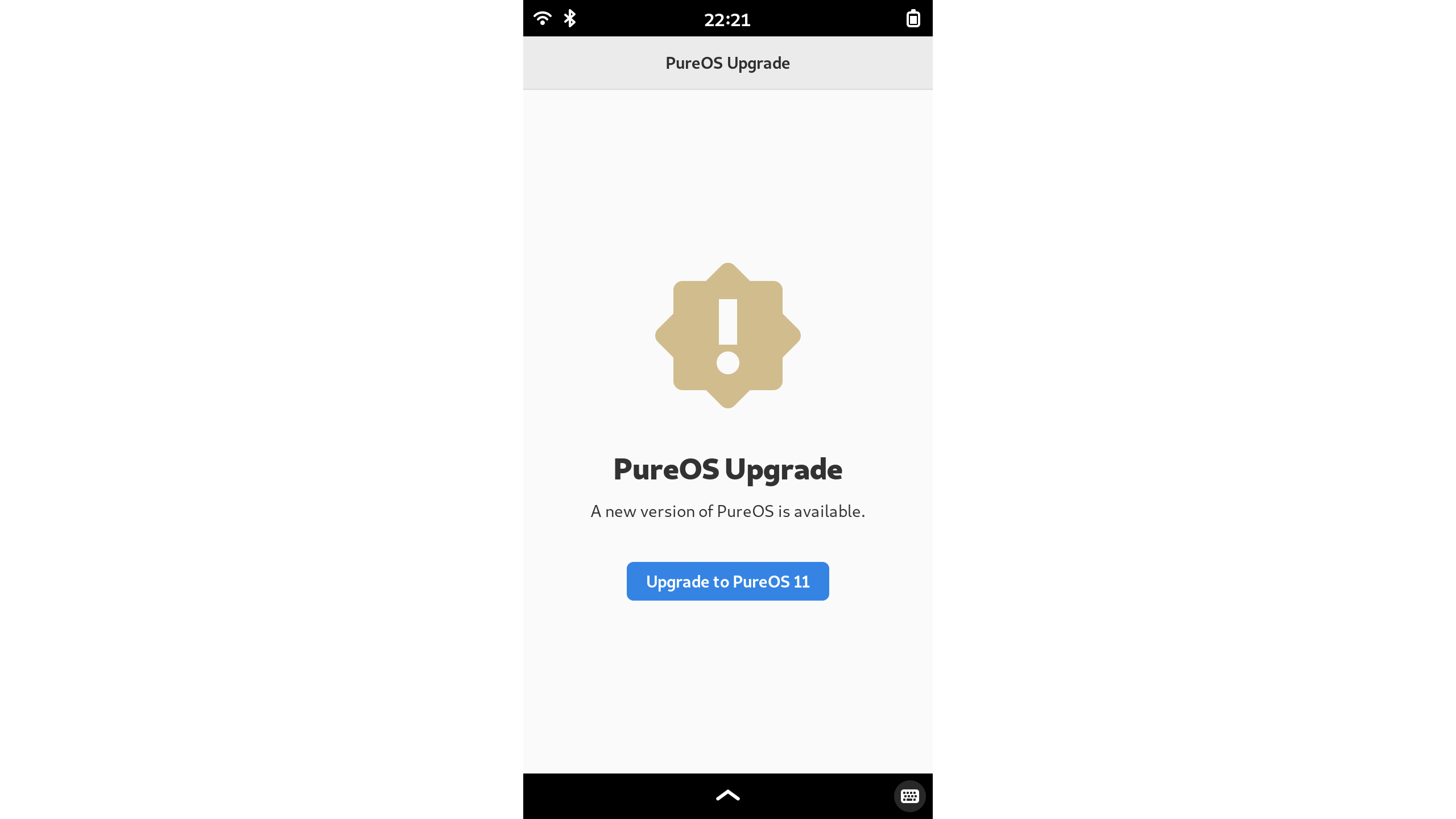
PureOS Upgrade will let you know that there’s an update available:
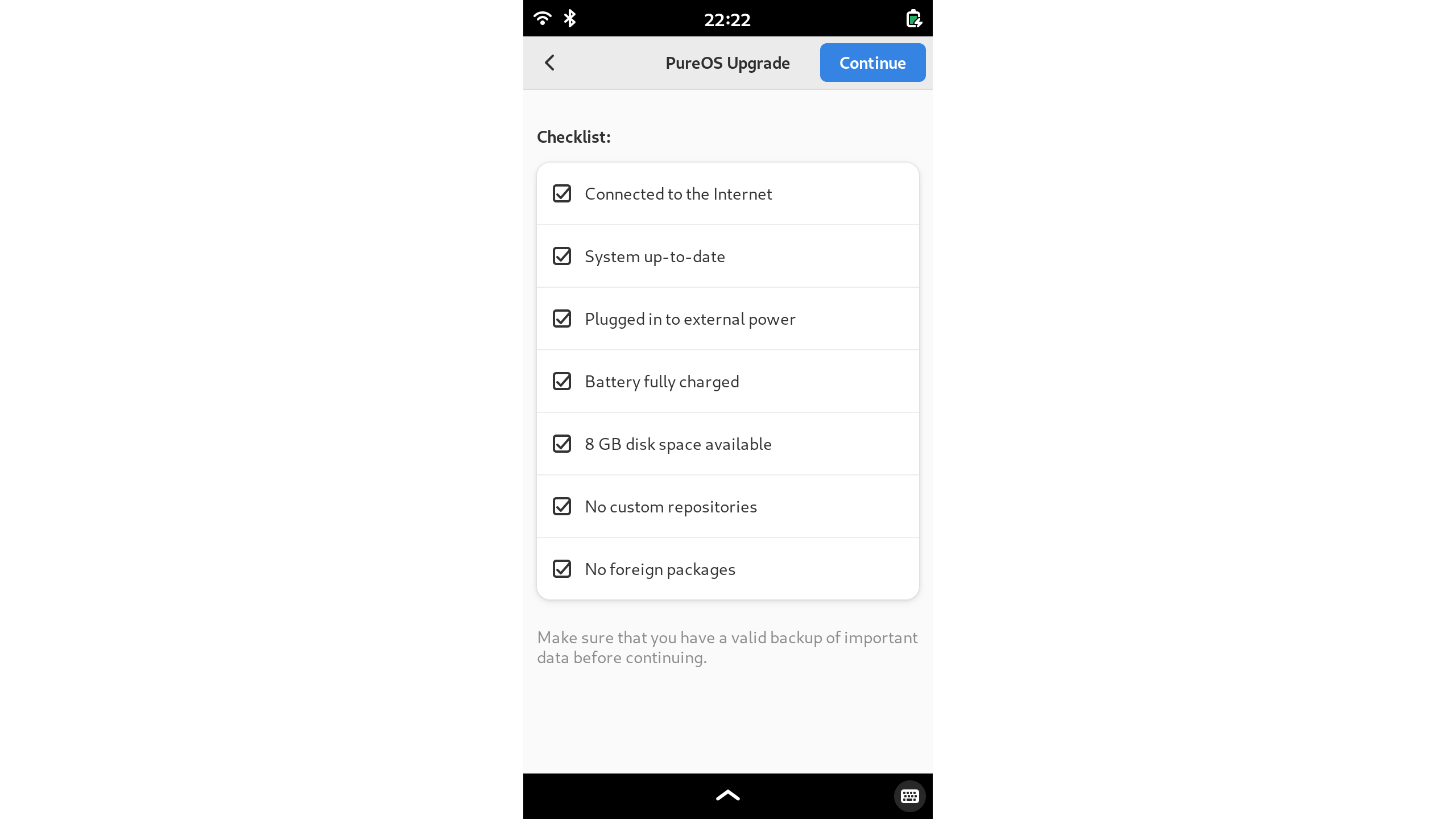
 Once you choose to upgrade, it will check the prerequisites:
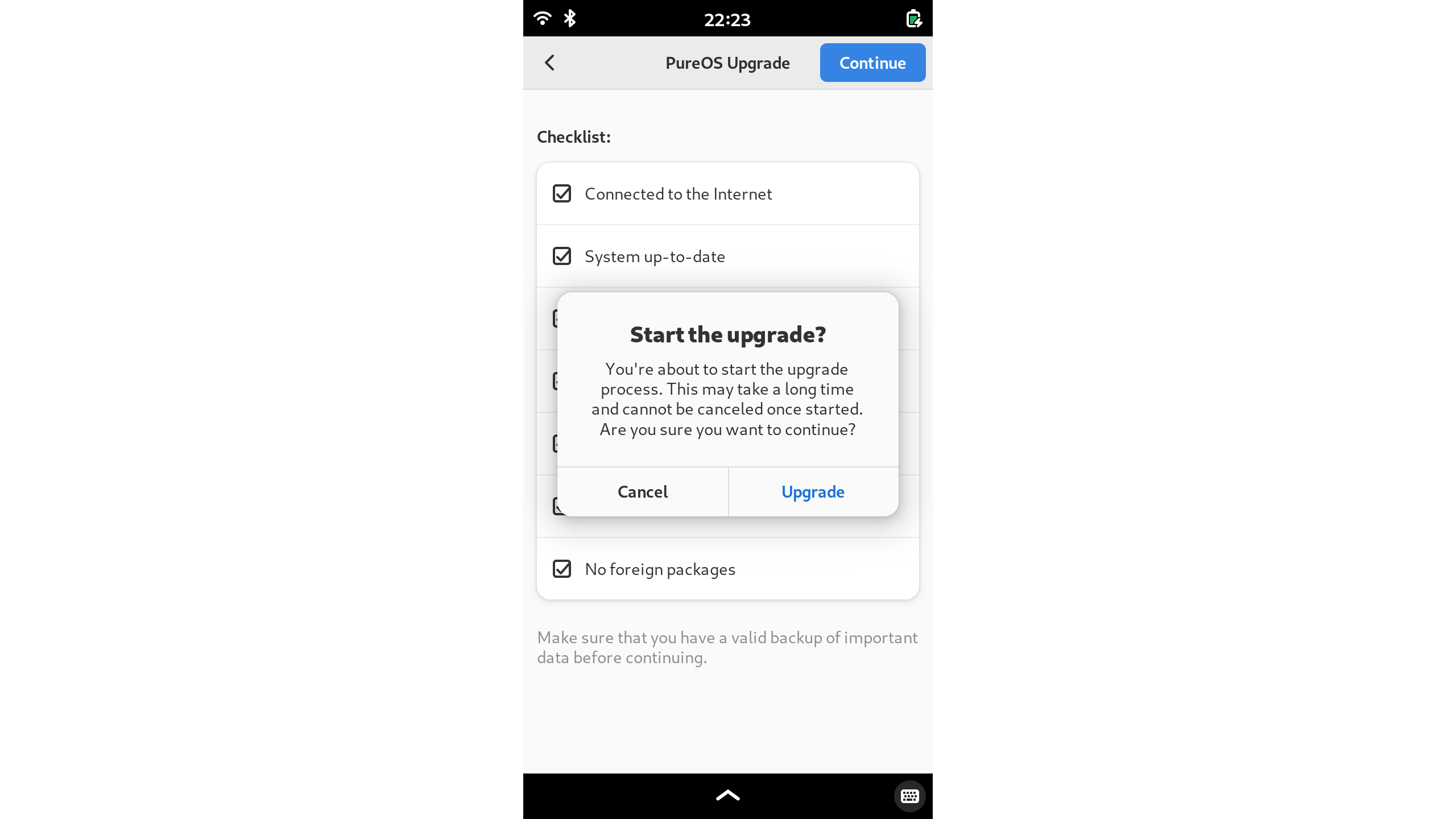
Then, just start the upgrade!
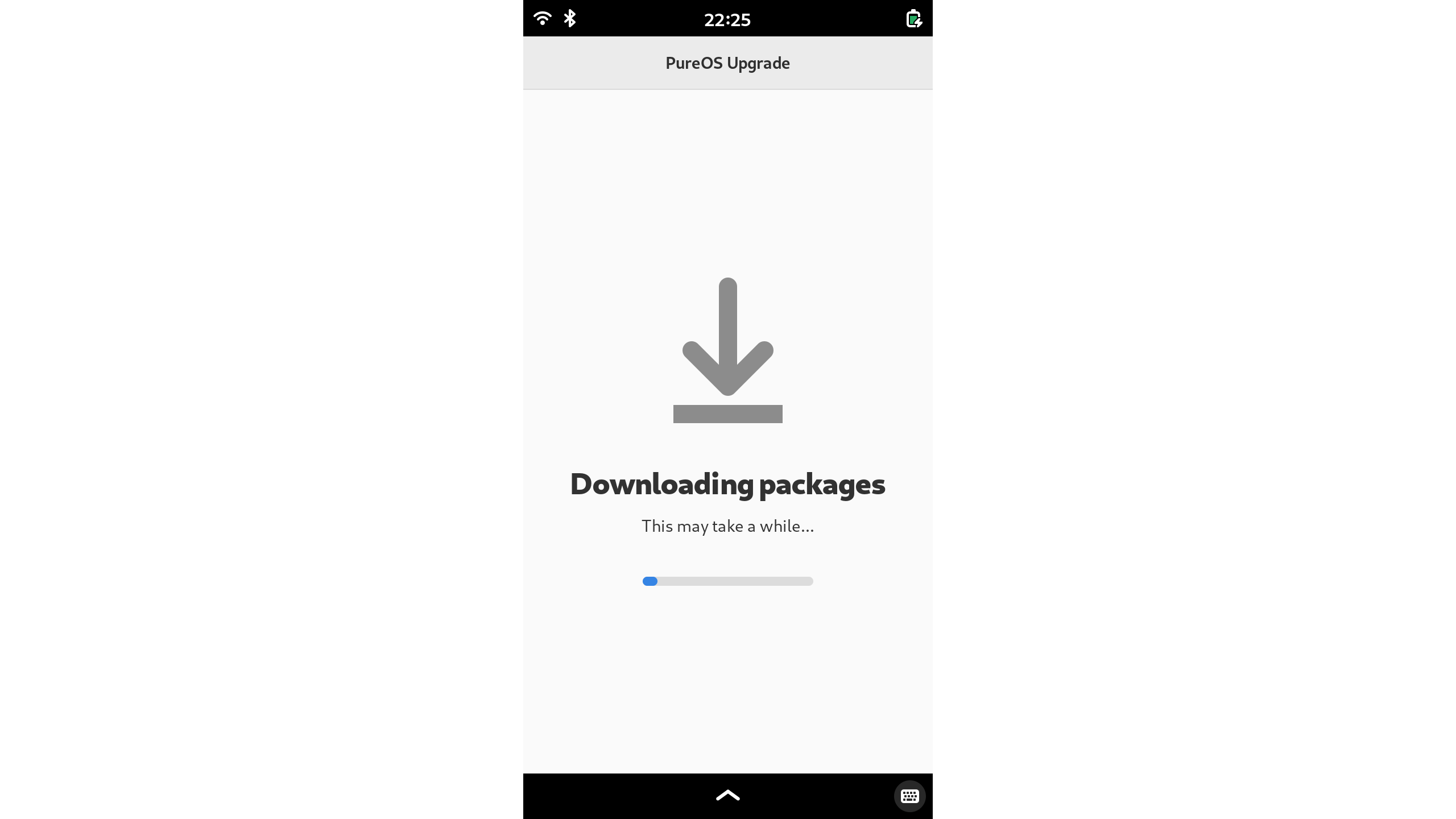
PureOS Upgrade downloads the Crimson packages:
 Finally, reboot to apply the upgrade:
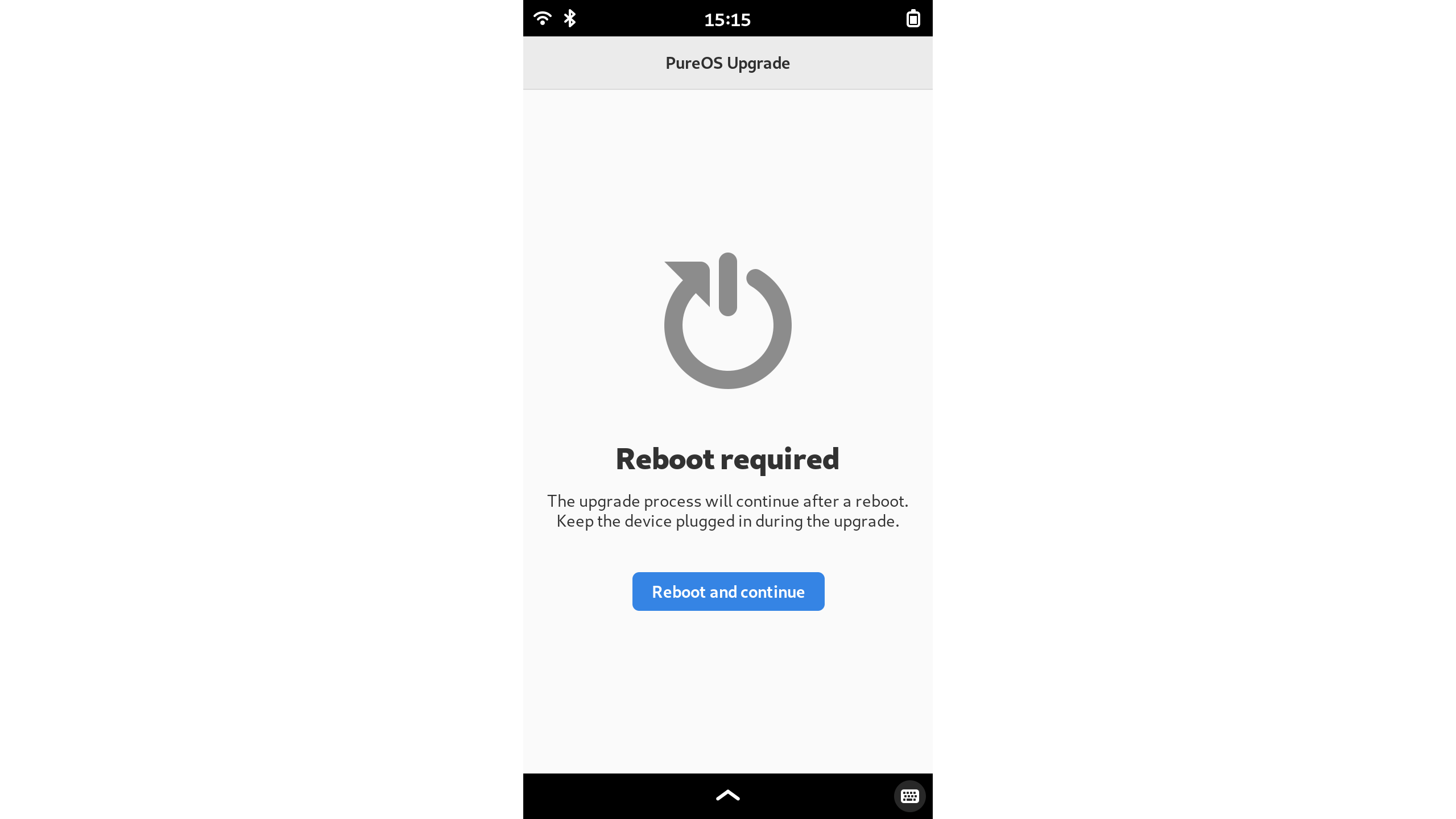
Installing the upgrade typically takes about 45 minutes on the Librem 5, but it may take longer depending on how many packages are installed. PCs will finish more quickly.
If you do have a problem with the PureOS upgrade on Librem hardware, feel free to reach out to Purism Support. We have already received useful feedback about some common third-party repositories that don’t need to block the upgrade.
Tying Crimson together
Our December update focused on fit and finish – in addition to developing the many components of an operating system, we also tie together all the pieces into a complete product.
We finished that work for Crimson in February with the final changes to pureos-meta. This repository contains the “metapackages” for PureOS – packages that bring together all the components you need for a functioning system. For example, pureos-gnome gives you all the components needed for a working GNOME Desktop system. On the other hand, servers don’t typically need GNOME, so those only install pureos-standard for a standard GNU/Linux system. For special-purpose OS deployment, you can even step down to pureos-minimal, then layer on only the tools you need for the purpose at hand.
Each of those layers builds on the lower ones – standard installations include the minimal system, and GNOME desktops include the standard installation.
In Crimson, we now include the Firefox mobile configuration on all systems shipping Firefox – both desktop and mobile. While the Firefox mobile configuration enables usage of Firefox on a mobile format, it’s actually adaptive and transitions seamlessly between desktop and mobile formats. This Firefox configuration contains many other improvements beneficial to all PureOS systems.
We’re also transitioning from GNOME Software to the PureOS Store in Crimson for all systems. The Librem 5 and Librem 11 already included PureOS Store (our distribution of GNOME Software), but PCs still included GNOME Software. This change aligns them both to the same version.
Finally, desktop systems now include the pureos-upgrade package. The upgrade application is hidden in Crimson because there is no upgrade to the next version (“Dawn”) yet. The package must exist to replace the one from Byzantium following a Crimson upgrade. When there is an upgrade to Dawn available, it will be provided in this package.
More work in Crimson
We’ve made a number of other updates in Crimson in the last two months, as always. Many of these updates are fixes for issues reported by customers testing the alpha, and we appreciate the feedback.
The Linux kernel for the Librem 5 is now updated to 6.6.127, and it includes further improvements for stability of both cameras, the uSDHC bus, and suspend.
Update: While this post was in draft and review, the Linux kernel 6.12 was also released for Librem 5 in Crimson! We’ll have more on that in another post.
Several applications received fixes as well. Chatty received a backported fix to avoid getting stuck fetching invalid Matrix avatars. Geary emails no longer overflow the right edge of the window, thanks to this backported fix. Evince is updated to 43.1, and we removed a HiDPI workaround that isn’t needed in PureOS.
Component updates include a fix for phosh to avoid crashing when disconnecting an output, incorporating Debian’s updates to glib, and fixing gnss-share‘s installation on new systems.
Upstreaming
Between January and February, we sent 24 patches upstream to Linux. These covered a variety of fixes for the Librem 5. Fixes to drivers used in the Librem 5 benefit all devices using those components.
The upstream maintainers have already accepted 19 of these patches, which include quite a few display panel driver fixes, two audio driver fixes, and fixes to the Librem 5 devices tree for I2C, the vibration motor, real-time clock, uSDHC2 bus, voltage configuration, and audio configuration. We had one fix for the NXP iMX8MQ device tree as well, which is used by all devices based on this chip. Some of these were work we’ve covered here before that we had carried downstream, while others were new work.
More fixes are coming upstream as well. We have more display fixes for the MIPI DSI driver. The CSI (camera) clock tree is corrected, and there are two fixes left for the sound codec.
Beyond the Linux kernel, we also sent two fixes to arm-trusted-firmware, one of the low-level firmware components for ARM devices included in U-Boot. These are cosmetic fixes for the source code readability.
Looking ahead to Dawn
With Crimson nearing release, we’re already looking ahead to Dawn, the next PureOS release based on Debian 13 (Trixie). In Dawn, we will need at least Linux kernel 6.12 to align with Debian, and we’ve updated the Librem 5 kernel to match. This kernel will also be the default in Crimson.
Expect to hear more about Dawn once we release Crimson, and thanks to all of our PureOS subscribers for your support!
Recent Posts
Related Content
- PureOS Crimson Development Report: January and February 2026 – Beta Released
- Privacy Under Siege
- Sim Swap Attacks Surging
- PureOS Crimson Development Report: December 2025
- PureOS Crimson Development Report: November 2025