PureOS Crimson Development Report: November 2025

Purism
Latest posts by Purism (see all)
- A Quarter Century After Cyberselfish, Big Tech Proves Borsook Right - December 20, 2025
- PureOS Crimson Development Report: November 2025 - December 15, 2025
- Purism Liberty Phone Exists vs. Delayed T1 Phone - December 10, 2025
Carry Forward
With our sights set on the beta release milestone, one key component still remains: a way to upgrade from Byzantium to Crimson.
If you’re a GNU/Linux expert, you might already know how Debian handles release upgrades. Some eager individuals have already upgraded from Byzantium to the Crimson alpha this way. However, we need an easy, graphical upgrade procedure, so everyone with a Librem 5 can get the improvements coming in Crimson.
Raising the bar
When we released PureOS Byzantium back in 2021, it didn’t have any graphical upgrade process from Amber. Our instructions to upgrade were based on a typical path through Debian’s instructions. While that method is sufficient for GNU/Linux experts, Purism’s Librem products are for everyone. We believe that all people, from experts to novices, deserve the privacy, security, and liberty that we enable with PureOS and Librem products.
Offline upgrade
When you upgrade manually with apt, you’re performing an online upgrade. Everything you’re using to upgrade, from your desktop environment to the terminal application, is going to get replaced during this upgrade, including core system libraries.
For smaller upgrades, that’s fine, but for a distribution upgrade, we’re going to swap out core system libraries with newer versions that might not be directly compatible, and there is a lot that could go wrong if you are running the system at the same time:
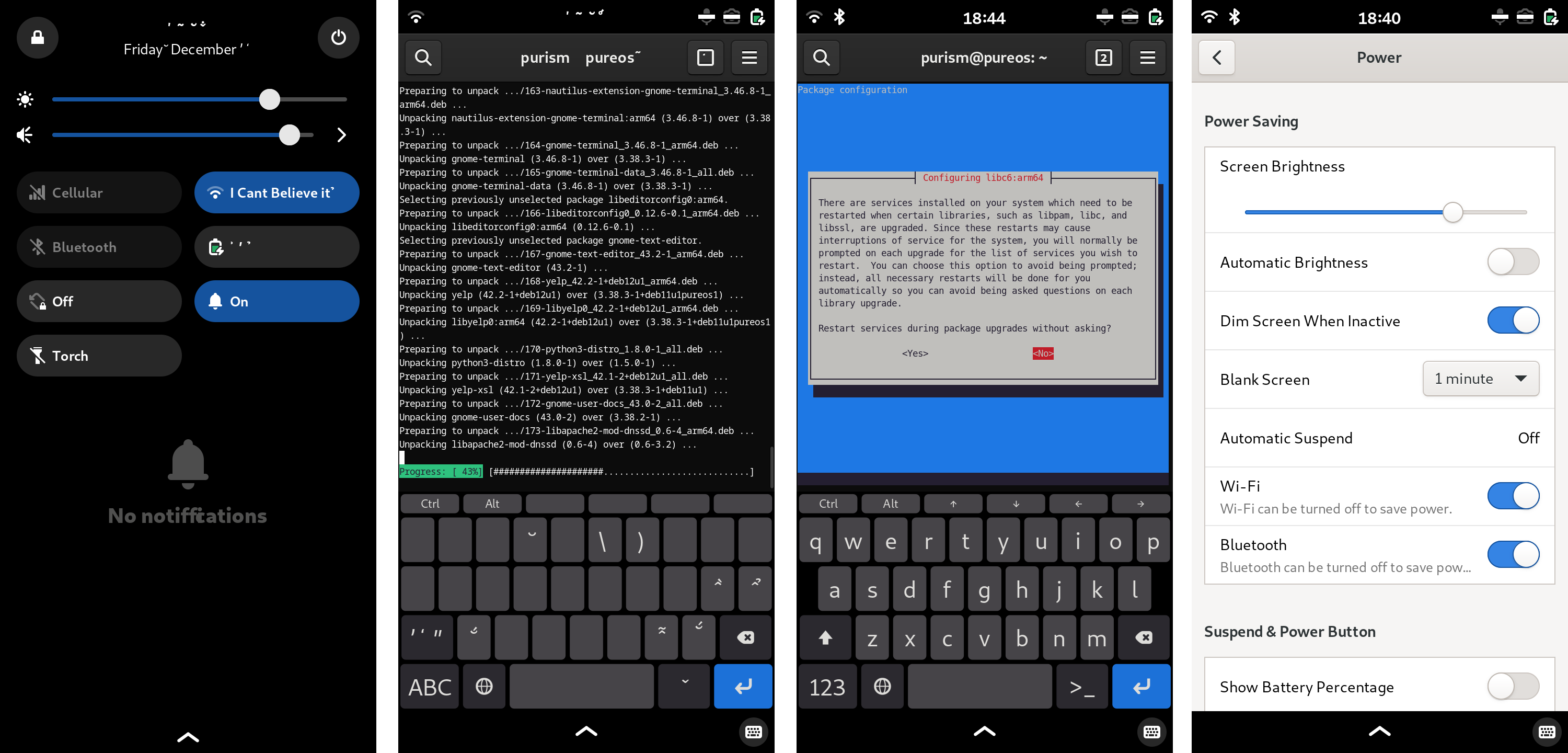
If you try to do a manual online upgrade, text display is going to break during the process, because some of the upgraded components aren’t compatible with the running desktop environment. It’s also likely that you’ll receive prompts from various packages, which may change based on what is on your system, so it’s difficult to provide guidance on how to resolve these issues. Finally, make sure you turn off “Blank Screen”. If the screen locks during the upgrade, you won’t be able to unlock it – some of the upgraded components won’t work with the running desktop environment.
For these reasons, we need to do an offline upgrade. When you choose to upgrade to Crimson, PureOS downloads the upgrade, and then reboots to apply it offline. The normal desktop environment and tools are not started, so it won’t break during the upgrade.
Fortunately, we don’t have to start from scratch. PackageKit can already do much of this work. We researched this in November to see what it can do and what we need to add, and our next target is to put these pieces together. We are also planning to show the available update on-device for existing Librem owners, another improvement over Amber.
Package updates
As usual, that wasn’t the only work done in November.
For some time, PureOS on the Librem 5 has included customizations to Firefox. We’re moving to ship these customizations on PCs as well, to converge these to the same base. Many of the improvements in firefox-esr-mobile-config are beneficial on PCs as well. The work being done now ensures that there is no negative impact on PCs. For example, we don’t want PCs to report a “Mobile” user agent.
Numerous improvements and fixes are coming for the rear camera! The camera will be more reliable with its clocks all configured correctly. The camera application can now control FPS and blanking, the camera now supports 10-bit-per-channel high-color modes, and there are more improvements to image quality.
We found and fixed an issue causing the Librem 5 to silently drop some MMS messages, which was most likely to affect certain carriers. Some carriers apparently quote the MMS “subject” field incorrectly when it is populated so mmsd-tng now tolerates subjects with this error.
GNOME Web now fits the screen. The cellular carrier database is updated for better carrier compatibility, and we backported gbinder-python for improvements with Waydroid 1.6.
Finally, we found and fixed a touch event issue in WebKitGTK that will improve GNOME Web’s compatibility with web sites. We sent these fixes upstream first so they will receive robustness testing and then reach PureOS via Debian.
We are aiming to have a testable upgrade procedure soon as part of the Beta milestone. Thanks again to the PureOS subscribers making this work possible!
Recent Posts
Related Content
- PureOS Crimson Development Report: November 2025
- PureOS Crimson Development Report: October 2025
- PureOS Crimson Development Report: September 2025
- Consent On Everything?
- 60 Minutes Uncovers Hacks on America’s Infrastructure